Originally published 09/09/2004, HDTV Magazine, editor Dale Cripps
By Richard Fisher
Welcome to Waveform! I have really looked forward to writing this column for the benefit of those who care about quality, performance and reasonable scientific conclusions.
Waveform was born out of my 20+ years in the industry and a discussion on the HDTV Magazine TIPS List concerning faithful reporting. At this time we are receiving very little of this for numerous reasons. Waveform is not only for consumers but also professionals as I will be going to great depth to provide conclusions based in science. In many cases these conclusions will seem at odds with what many are hearing out in the market place and from the marketing and advertising promoting their products.
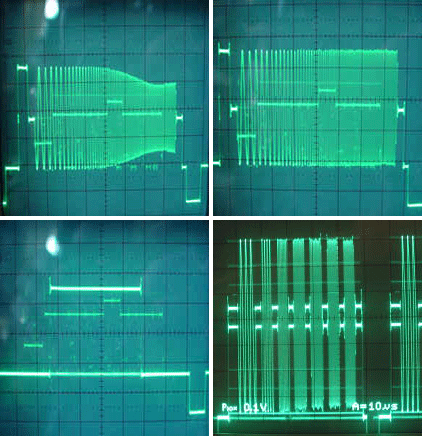
The key element to this column and name is I will be providing for the first time to consumers and many professionals pictures of electronic signals which are called waveforms as part and parcel of a review. Any electrical signal can be seen using an oscilloscope which will be called from here on simply a scope. Using a scope probe one can connect to any point within a circuit and see a DC or AC signal expressed horizontally as time and vertically as voltage. If we set the controls correctly we can capture an image of a signal in a specific time frame allowing us to see how the signal is being changed or not changed in an electronic circuit or more importantly for us what kind of signal are we getting out of the product and what is happening to our signal by the time it makes it to the display and in some cases what we have going into the CRT itself. This concept can also be applied to audio.
The following are pictures of waveforms
[img]http://www.hdtvmagazine.com/images/forum/W01a.gif[/img]
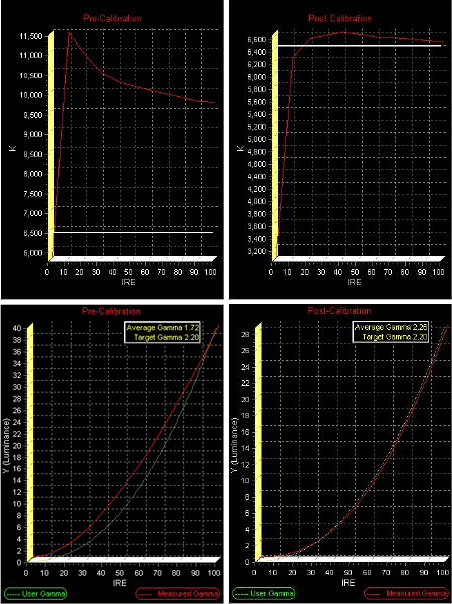
I will also be covering display calibration providing you with report images
[img]http://www.hdtvmagazine.com/images/forum/W01b.gif[/img]
To begin our journey towards the destination of understanding video systems the column will start with the viewing environment, display technology, structural wiring, video scan rates and scaling ending with AC power. Then the next phase will be calibrating your display using one of the following three calibration DVDs on the market and also show you what the controls on your display and sources will do to the video signal using waveforms and calibration report images. This will lead to looking at waveforms from various products and what happens as it makes it's way through out a system all the way to the input of the CRT. Finally I will start providing reviews using waveforms and calibration reports clearly showing how well the product performs.
In the meantime please get one of these discs in your home. You may already have one. These can be ordered direct sometimes or easily available on the internet.
Digital Video Essentials, DVE
Avia Guide to Home Theater (No longer available as new product. Replaced by Avia Pro)
Sound and Vision Home Theater Tune-up (Replaces the above for consumers)
Throughout this column terms will appear that you may not be familiar with. Please use the HD Library Video Dictionary as your companion.
Next Week: The Viewing Environment
If you have any feed back to this article please feel free to post your comments now by clicking on POST reply. All emails received concerning this article are open to being posted and published along with the article unless the sender requests otherwise. Requests for a private exchange may not receive a response due to limitations of time and expense.
[email protected]
Respect Our Copyright! DO NOT copy and paste this complete review or article to post or distribute. That is a violation of US copyright. Please feel free to quote small passages and please provide a link to the full review. Thank you!
Waveform 01: What is Waveform?
-
HD Library
- Librarian
- Posts: 403
- Joined: Tue Mar 02, 2004 12:01 am